service image

Overview

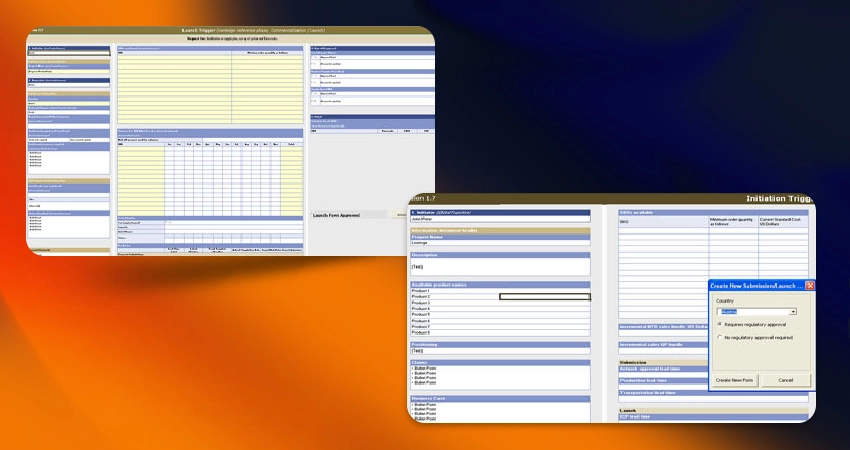
Excel programming is the process of using code and logic within Microsoft Excel to automate tasks, analyze data, customize functionality, and create powerful tools beyond standard spreadsheet use. We have a dedicated team of MS Excel programming professionals with capabilities to handle complex work that includes developing complex forms, functions, modules and coding at an affordable cost.

Our expertise

Dedicated Excel Programming Team

Our dedicated team of Microsoft Excel programming professionals handle complex tasks efficiently. From developing intricate forms, functions, and modules to expert coding, we offer cost-effective solutions that cater to your specific needs.

Data Simplification and Interpretatio

We excel at simplifying complex data, making it easy to understand and interpret. We transform extensive datasets into formats that convey essential information clearly.

Custom Charts and Graphs

We can create custom charts and graphs using data from various sources. Our expert team will create complex data visualization which can be used in reports and presentations.

Advantages of Excel Programming

    1. Automation of Repetitive Tasks

  • Speeds up manual processes like formatting, calculations, or report generation.
  • Reduces human error and improves consistency.
  • Example: A macro that generates daily reports with one click

  • 2. Custom Functionality

  • Create User Defined Functions (UDFs) with VBA when built-in Excel functions aren’t enough.
  • Tailor Excel to fit specific business or personal needs.

  • 3. Improved Productivity

  • Cuts down time for data entry, processing, and analysis.
  • Frees up time for higher-value work.

  • 4. Dynamic Reporting and Dashboards

  • Build interactive dashboards with VBA, Power Query, or even Python.
  • Automate updates, filter data, or generate visuals on demand.

  • 5. Integration with Other Applications

  • VBA can interact with Word, Outlook, Access, and even external databases.
  • Automate emailing reports, exporting PDFs, or updating databases.

  • 6. Data Analysis and Modeling

  • Use VBA or Power Query to clean and prepare data efficiently.
  • Build models that recalculate automatically with updated inputs.

  • 7. No Additional Software Needed

  • VBA is built into Excel — no installation or extra software required.
  • Great for businesses that rely heavily on Excel but don’t want to invest in more complex tools (like full-scale ERP systems).

  • 8. Custom Interfaces

  • Create user-friendly forms for data entry or navigation.
  • Example: A pop-up input box or custom ribbon buttons.

  • 9. Scalability for Small to Medium Projects

  • Excel programming is ideal for internal tools, reports, or prototypes that don't justify a full software development project.

  • 10. Easy to Learn and Implement

  • VBA has a relatively gentle learning curve.
  • Lots of community support, examples, and documentation.

Add in Creation